With Shelblock, surf the internet without ads while protecting your children
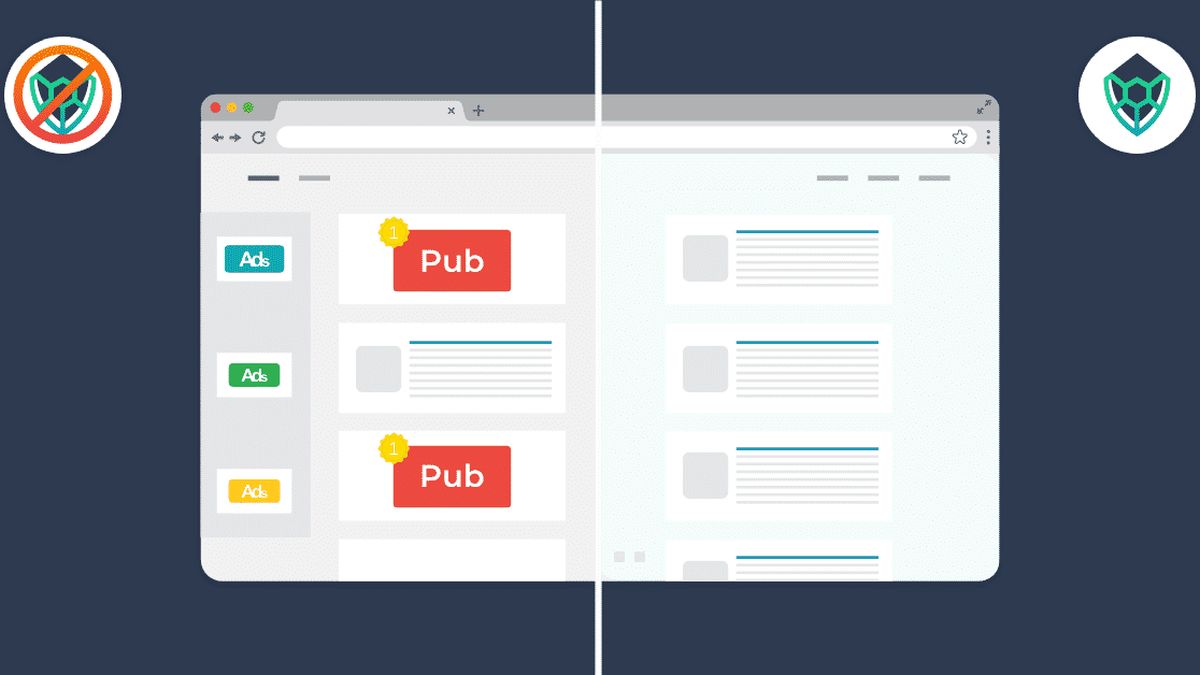
Fed up with the advertisements that invade your screens when you visit the internet? Tired of seeing your browsing habits being constantly tracked? Tired of scrolling through your Facebook or LinkedIn where promotional offers prevent you from taking advantage of posts from your connections? You want to protect your children who surf the internet thanks to parental control? The solution is Shelblock, French software developed in Lyon, France.
Fortunately, Shelblock provides you with the solution. This new software is a very complete ad blocker that can be downloaded to your PC (and soon to Mac). Its free version allows you to block intrusive advertisements and protect your personal data
Read also: Google my business training
Much more than just an ad blocker
The premium version allows you to discover that Shelblock is much more than a classic Adblocker. It is currently the only blocker that manages to block advertisements that appear on videos and on streaming sites. The premium version of Shelblock also offers very advanced features for your safety and that of your family. It allows you to block access to your personal data when you visit social networks and online businesses. It secures your user journey by detecting malicious programs and annihilating them. Finally, offers a parental control feature that allows you to let your children surf in complete peace of mind. With Shelblock, you can browse the internet without being polluted by intrusive advertisements, without risking your personal data being leaked and preventing young people from coming across traumatic content. This is real protection against all the dangers of the web and the flaws of digital advertising. Read also: How to choose a diamond ring, jewelry or an engagement ring?Install a powerful ad blocker on my PC
Installing Shelblock on your Windows PC is very simple. Simply go to www.shelblock.com and download the shelblock install on your post. This is an executable file (with the .exe extension) that you simply need to launch by double-clicking on it (For security reasons, it will be necessary to close your browser and other programs while you carry out the 'facility). The installer then asks you for your protection level, Standard or Premium. We advise you to first install the Standard version which is free (and which you can remove without problem if it does not suit you). You can also test the premium version, Shelblock offering to try it for free for fourteen days. Once the installation is complete, you will notice that no more advertisements appear on your favorite sites. You will have the possibility to configure the websites that you wish to block but also to authorize the advertisements of your choice to appear, by activating a whitelist. To get an idea of the work accomplished daily by Shelblock, you can consult the statistics which will give you in real time the number of advertisements blocked, and more or less malicious tracking software which have been intercepted. Shelblock intercepts advertisements that appear on your browser, whether Chrome, Firefox, Edge, Opera or even the lesser known ones. In the premium version, it removes advertisements that appear at the start of Youtube or Twitch videos. Ads are also blocked on replay shows and on music platforms such as Spotify or Deezer. You will no longer find them on Facebook, LinkedIn, Instagram, Pinterest or Twitter either. Read also: How to become a firefighter?Why make Shelblock your favorite ad blocker?
Setting up Shelblock is as simple as installing it. The interface is very intuitive, you often just need to select On or Off for each functionality. You can also use Shelblock as parental control software, to protect your family from offensive content, but also as protection against tracking, these programs which record your browsing habits and then offer you targeted advertisements. The Shelblock software also benefits from very efficient support. I recommend that you regularly read the blog on the site www.shelblock.com which gives a thousand and one tutorials to explain how to configure the software, especially when you want to block advertisements on social networks, or watch a replay without being poisoned by the advertising, or how to block pornographic content. You will see how simple and very secure using Shelblock is. Like any good high-performance software, Shelblock is subject to regular updates which allow it to arm you against new threats. Because the enemy never rests. The premium version is available for €1.90 per month. But when you are convinced of its effectiveness, you can buy it definitively for €49.00. Read also: KBIS: how to easily obtain your company’s identity document?Articles similaires

Practical life
How to use a Hookah for the first time?

Practical life
Identity card renewal: why it is so important

Practical life
How to use Messenger without a Facebook account?

Practical life