Why won't my PlayStation 5 turn on? PS5 Troubleshooting Guide

You have unboxed your brand new PlayStation 5 and you noticed that it didn't turn on? If so, you're definitely not the only one.
In fact, it seems to be a fairly common problem with the PS5, with many users reporting that their consoles are completely dead and won't turn on no matter what they do.
Fortunately, there are several things you can do to resolve the problem and (hopefully) get your PS5 in working order. In this blog post, we will review the most common causes of this problem and offer some potential solutions.
Possible cause #1: PS5 console is not plugged in correctly
One of the most common reasons why a Playstation 5 console does not turn on, it is not properly plugged into an outlet. So the first thing to do is to double-check all the connections to make sure everything is plugged in properly.
This includes the AC power cord and HDMI cable. Once you've done that, try turning your console back on. If it still doesn't turn on, proceed to the next troubleshooting step
Possible cause #2: Your screen is not turned on
Another possible reason why your PS5 won't turn on is that your TV or monitor is not turned on. This reason seems obvious, but it's easy to forget in the excitement of installing a new console.
Before ruling out any hardware issues, check that your TV or monitor is turned on and set to the correct input.
Possible cause #3: Your console is overheating
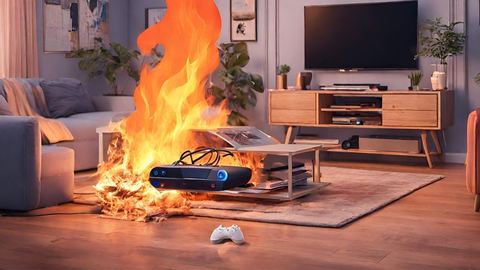
If your PS5 has been running for a while and it no longer turns on, it may have overheated and needs to cool down. In this case, you will usually see a warning message on screen telling you that your console is too hot and needs to be turned off. However, in some cases, the console simply turns off without any warning. In any case, if you think that your PS5 is overheating, unplug it and let it sit for at least an hour before trying to turn it back on Important note: If you live in a hot climate or your home doesn't have air conditioning, you may want to consider investing in a cooling fan for your PS5. You will thus avoid overheating problems by circulating air around your console.Conclusion of troubleshooting PS5 if it won't turn on.
There are a number of potential reasons why your PlayStation 5 does not turn on when you press the power button. The good news is that most of these problems can be easily fixed with a little troubleshooting. So if your PS5 won't turn on, start by checking all the connections and making sure everything is plugged in properly. If that doesn't work, try turning on your TV or monitor (if you haven't already) and check for overheating issues. Hopefully one of these solutions will get your console working again and you can start enjoying all the new features! Read also: PS5 problem: disk not recognized - How to resolve this problem?Articles similaires


PlayStation 5