
How to connect Mafreebox to your Free Freebox account?
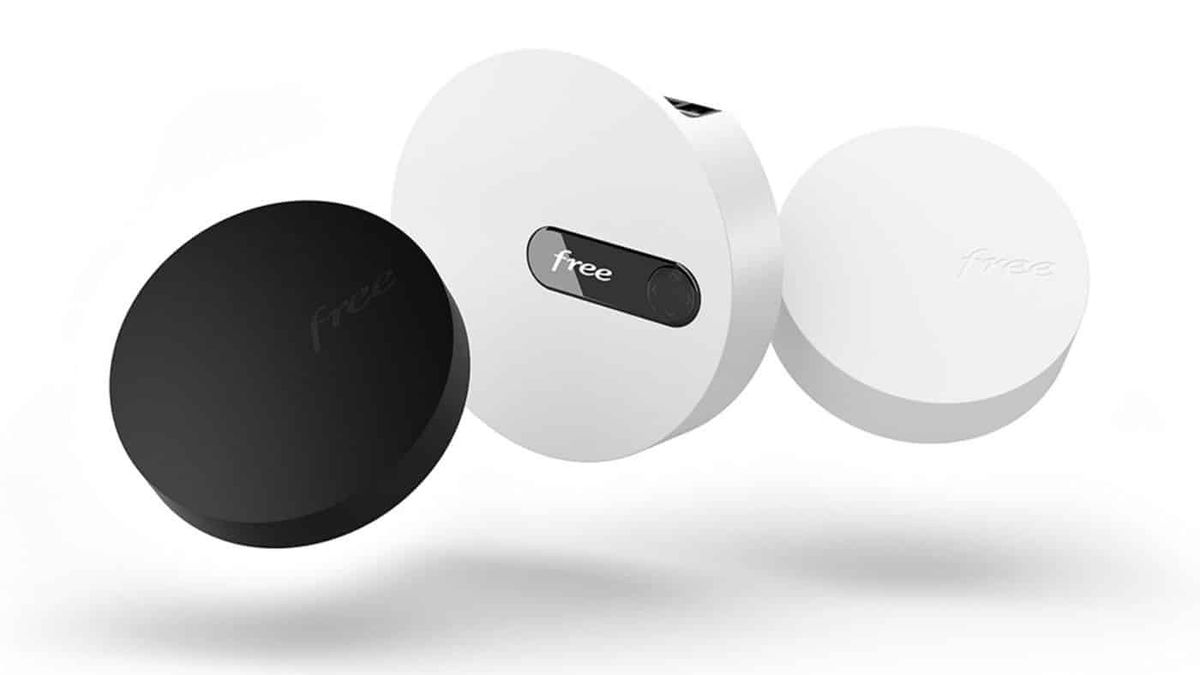
If you want to be able to better manage your Freebox, you must know how to use the MaFreebox interface. This is accessible from your mobile phone, your computer or even your tablet and only for Free users. Find out in this article how connect MaFreebox to your Free account to be able to take advantage of its many features without delay.
A free and easy-to-use management interface
MyFreebox is a management interface completely free and dedicated to Free subscribers. You can easily configure your box so that it best meets your needs. This will make it easy for you to access a command center which will allow you to adjust various advanced features. In addition to these settings, you will also be able to access the following services:- Network devices connected to your box
- Phone call log
- Saved contacts
- Management of TV recordings
- File Explorer
Different Internet subscriptions thanks to MaFreebox
If you are Free client, you should definitely know that you can have access to 4 types ofInternet subscriptions. We will present them in detail below.Freebox Delta
It is first possible to subscribe to the subscription Freebox Delta to benefit from a fast internet connection. In fact, you will be able to watch a film or series, make a simultaneous call or play network games without experiencing any slowdown. Also, if you would like to subscribe My Free box OS Delta, you will be able to access your Freebox Server Delta box. A security message will appear so you can change your password. You will then just have to tap on the right arrow to make this change to connect to Mafreebox OS delta.Freebox Pop
You can also subscribe to theFreebox Pop subscription in order to benefit from the technology of optical fiber without interruption. You will be able to benefit from a theoretical maximum speed of up to 5Gbit/s via an Ethernet port or a network cable. If you would like to be able to log in MaFreebox subscriber area from a PC, all you have to do is go to the website my mafreebox.fr account. You will need to take care to check that your computer is connected by a WiFi or Ethernet network cable in order to be able to carry out your connection operations. If you are connecting to the Freebox Pop OS for the first time, you will need to click on the tab “first connection”. You will then have to stand next to your Freebox Server pop-box in order to be able to change the password. To do this, you will simply have to press the right arrow and enter your new password from your PC. This way, you can easily identify yourself to access your Freebox pop account.Freebox Mini 4k
Thanks to theFreebox Mini 4k subscription, you will be able to opt for a very high speed Fiber or ADSL 2+ internet connection. Without forgetting that you will be able to take advantage of the Android television with a 4K compatibility for exceptional image quality. To connect, you will need to go to mafreebox.fr, from your mobile, tablet or even computer. If this is your first connection to the Freebox mini 4k, you will need to click on the “first connection” tab. As before, you will need to get closer to your Freebox Server Mini 4k box to see a security message displayed. To change your password, you will need to press the right arrow and you will therefore be able to easily log into your Freebox account.Freebox Revolution
L'Freebox Revolution subscription will give you access to a complete TV package thanks to a Blu-ray player. You will also benefit from unlimited calls to mobiles in France, the French Overseas Territories, but also international landlines. To be able to connect to your subscriber area, go to mafreebox.freebox.fr. As explained above, you will also have to click on the “First connection” button, if this is of course a first connection to your Freebox RevolutionOS. To authorize the modification of the access code, you will need to approach your box and press the right arrow. You will be granted permission and you can easily make your change. All you have to do is click on myfreebox and connect to “my freebox revolution account”. Also read: How do fat burners work?Access the Mafreebox space
Please note that if you want to be able to access your MaFreebox space, you can do so from anywhere, and even from abroad. Especially since you will be able to establish this connection via cable or wifi to save time. You will then have to type the URL mafreebox.freebox.fr in your browser before validating your search with the "enter" key. You will have to go to the "first connection" section and follow the various instructions given. It is strongly recommended to reset your password using the security message that you will receive. Once your password has been changed and validated, you will simply have to click on the "connection" button. In addition, you will be able to connect to your MaFreebox space from outside by performing this activation on your first connection. To do this, you will have to go to the settings of your Freebox and click on "Access management" then on "remote access". If you have lost your password, do not panic because Mafreebox has a procedure for recovering forgotten or lost passwords. To recover your password, you will have to click on the "Forgotten password" option. A message will be displayed asking you to change your password by manually validating your choice. Once you have found the right password, you will receive a confirmation email directly in your mailbox. This very simple and quick process will allow you to change your Freebox password without delay. Also read: ENT oZe Yvelines: the reference educational platform in the 78Articles similaires
Computer science
Melanie2web: the messaging platform for civil servants

Computer science
WIFI McDonalds: how to successfully connect?

Computer science
How to buy a great gaming PC?
Computer science
5 reasons to create a website for your business

Computer science
What affects internet speed?

Computer science