Everything you need to know about IP surveillance cameras
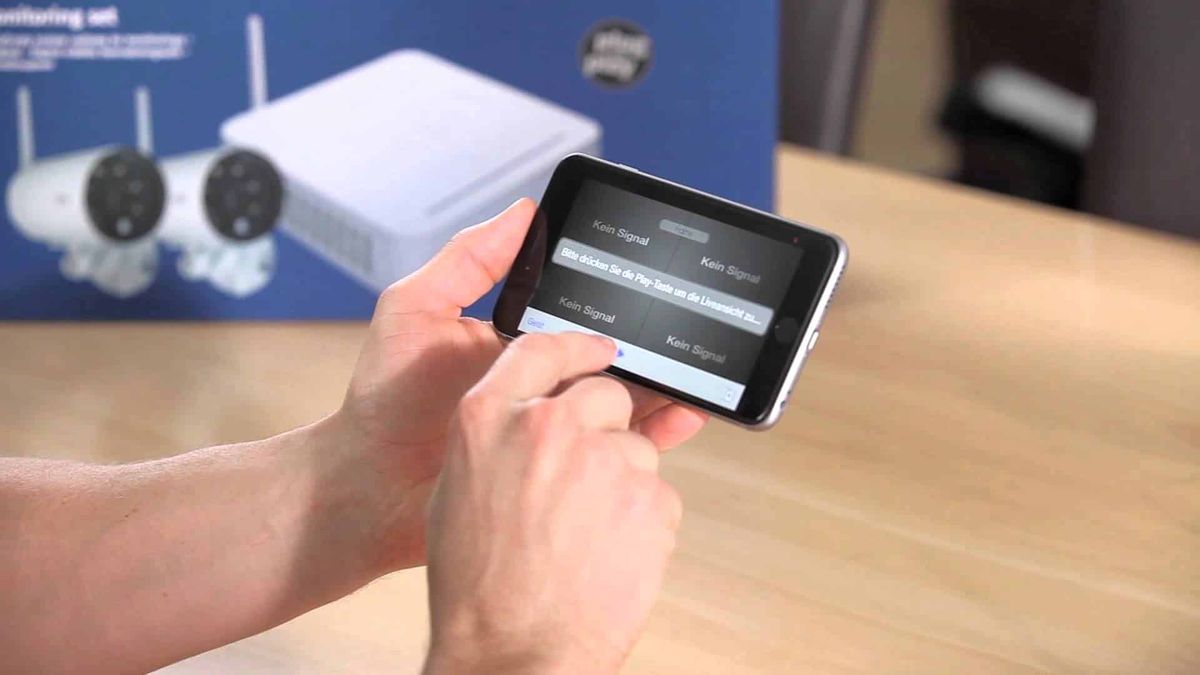
An IP surveillance camera records video and broadcasts a video stream in digital format using a network protocol that provides packet routing. In other words, an IP camera ensures video surveillance in the form of data streams on the Internet. It is thus composed of a matrix, a lens, a central processor, a processing processor, a compression processor, and a network interface.
How does the IP camera work?
The lens focuses the image on the matrix. The matrix converts the color into an electrical signal. The signal is sent to the processor to process color, brightness, etc. The video stream goes to the compressor. The compressor compresses the stream and when the data is ready, it is transmitted to the network via an Ethernet controller. Additionally, each IP camera has its own IP address transmitted with the connection and used to synchronize the camera with the registrar. Indeed, using a special command or program, the registrar uses the IP address of the camera and connects to it with a video recorder. Without an IP address, it is impossible to configure the equipment to work together or to access the IP camera from a mobile device. However, thanks to digital advancements, the functionality of the IP camera tends to infinity due to the variety of software. So you can access data from anywhere in the world where the Internet is. Read also: How to find your IP address or geolocate someone's IP address? We have the answerWhat are IP cameras connected to?
The IP camera transmits the video stream to the registrar (server), the personal computer (if suitable software is available) and the cloud. Several IP cameras are connected to the registrar via a router, a switch or if applicable, each in a separate port. The router or switch supports dynamic host configuration network protocol automatically distributes addresses and other network parameters.What are the data transfer mechanisms, network and protocols?
IP cameras operate on the TCP/IP protocol stack. TCP/IP is a network model with four levels of data flow: application, transport, network, network access. The distribution of protocols by levels:- Application: HTTP, RTSP, FTP, DNS, etc;
- Transport: TCP, UDP, SCTP, DCCP, etc. (RIP, routing protocols such as OSPF; operating over IP, are part of the network layer);
- Network: IP (auxiliary protocols, such as ICMP and IGMP, work above the network protocol, but belong to the network layer, and ARP is an independent auxiliary protocol, working above the data link layer);
- Network access layer: Ethernet, IEEE 802.11 WLAN, SLIP, Token Ring, ATM and MPLS, physical environment and information coding principles, T1, E1.
Data transport protocols
- TCP is a guaranteed protocol that, using commands, pre-establishes a connection. After which, it starts transmitting data; monitors the security of data and its sequence, adjusts the translation speed so that data is not transmitted more intensively than it can be received. The transport protocol also corrects errors, especially when two identical packets arrive at the same address.
- RTP is a real-time traffic transfer protocol. It provides data synchronization and packet delivery sequence correction.
- UDP is an alternative to TCP, but does not establish a preliminary connection. Instead, it immediately starts streaming. It does not control data reception and does not duplicate in case of restoring a lost packet. Less reliable, but faster.
What about compatibility protocols?
For compatibility with third-party devices, IP cameras support application protocols, especially RTSP and ONVIF.- RTSP is an application protocol for remote control of an IP camera, with a description of flow control commands. It exclusively provides management of IP cameras by the server.
- ONVIF is the modern standard. It is a combination of standard technologies and protocols (including RTSP) suitable for IP video surveillance. In the specifications, four profiles have been developed:
- Profile S: for video sources;
- Profile C: for access control systems;
- Profile G: for video recording devices;
- Profile Q: for ready-to-use compatible devices.
Articles similaires


Computer science