Create and optimize a Google Business profile to improve your online visibility

IN BRIEF |
|
| Stage | Description |
| 1. Claim your profile | Make sure to claim and verify your Google Business Profile to take control of it. |
| 2. Complete information | Complete all relevant information : address, telephone number, opening hours, etc. |
| 3. Descriptions and categories | Use a clear description of your activity and choose the categories appropriate for your business. |
| 4. Adding photos | Publish quality photos representing your products and services to attract potential customers. |
| 5. Collect reviews | Encourage your customers to leave positive reviews to improve your online reputation. |
| 6. Regular updates | Keep your profile up to date with recent information and publish news regularly. |
| 7. Responses to reviews | Reply to reviews left by your customers to show that you are engaged and that you take their feedback into account. |
Creating and optimizing a Google Business profile is essential to improving your online visibility. By claiming and verifying your listing, adding specific information such as address, phone number, and opening hours, as well as encouraging your customers to leave reviews, you significantly increase your presence on the search engines. Effectively managing your Google Business profile can attract more potential customers and strengthen your online reputation.
In this article, we'll explore how to create and optimize a Google Business profile to improve your online visibility. We'll cover the steps to creating your profile, as well as various techniques to make it more attractive and relevant to search engines and your potential customers. Adopting these best practices will allow you to maximize your local SEO and attract more customers to your business.
Create a Google Business profile
Claim and verify your business
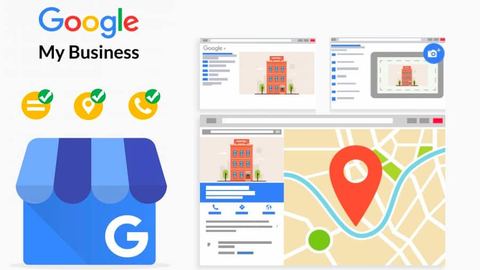
The first step to creating a Google Business profile is about claiming your business. Go to the Google My Business site and follow the instructions to search for your business. If your business already exists in Google's database, click "claim this business." Then follow the steps to verify your property. Verification can be done via a code sent by postcard, telephone or email.
Complete all relevant information
Once your business is claimed and verified, it is crucial to complete all sections of your profile. Add information such as address, phone number, hours of operation, and a detailed description of your services or products. Accurate information not only improves your online visibility, but also builds trust with your potential customers.
Optimizing your Google Business profile
Use relevant keywords
To optimize your profile for local SEO, include relevant keywords in your business description, service titles, and other available sections. These keywords should be those that your potential customers are likely to use when searching for services or products that you offer.
Encourage customer reviews
Customer reviews play a crucial role in your online visibility. Encourage your happy customers to leave positive reviews on your Google Business profile. Reviews not only improve your ranking in search results, but they also provide valuable testimonials that can convince other customers to choose your business.
Add quality photos
Photos of your business, products or services help attract attention and provide a clearer, more engaging image of your business. Make sure your photos are high quality and accurately represent what you are offering. Poor quality images can have the opposite effect and deter potential customers.
Keep your profile up to date
Update your information regularly
It is essential to keep your profile information up to date. If you change your hours of operation, address or contact details, make sure to update them on your Google Business profile. Accurate and up-to-date information increases your business's credibility with search engines and customers.
Use Google Posts
Your Google Business profile allows you to post updates, special offers, events and news directly in search results. Use this feature to keep your customers informed of the latest news and promotions. Regular posts show that your business is active and engaged, which can attract more customers.
Analyze your profile performance
Use Google Insights
Google Business provides you with insights or statistics on how users interact with your profile. Use this data to understand which aspects of your profile are working well and where improvements can be made. For example, if you notice that certain photos attract more views than others, this can guide you in selecting future images.
| Appearance | Description |
| Profile creation | Go to Google My Business and follow the account creation steps. |
| Profile Verification | Validate your profile via the recommended method (post, email, etc.). |
| Adding basic information | Provide the address, telephone number and opening hours. |
| Categorization | Choose the categories most relevant to your business. |
| Posting photos | Add quality photos to attract attention. |
| Regular update | Keep your information up to date and add content regularly. |
| Collection of reviews | Encourage your customers to leave positive reviews. |
| Responses to reviews | Reply to reviews to show you're engaged. |
| Using posts | Post updates and promotions directly to your profile. |
| Statistics tracking | Use insights to improve your strategy. |
-
- Step 1: Claim your listing
- Step 2: Check your information
- Step 3: Add quality photos
- Step 4: Post regular updates
- Step 5: Use relevant keywords
- Step 1: Claim your listing
- Step 2: Check your information
- Step 3: Add quality photos
- Step 4: Post regular updates
- Step 5: Use relevant keywords
-
- Step 6: Get customer reviews
- Step 7: Reply to reviews
- Step 8: Make sure opening hours are accurate
- Step 9: Use specific categories
- Step 10: Add services and products
- Step 6: Get customer reviews
- Step 7: Reply to reviews
- Step 8: Make sure opening hours are accurate
- Step 9: Use specific categories
- Step 10: Add services and products
- Step 1: Claim your listing
- Step 2: Check your information
- Step 3: Add quality photos
- Step 4: Post regular updates
- Step 5: Use relevant keywords
- Step 6: Get customer reviews
- Step 7: Reply to reviews
- Step 8: Make sure opening hours are accurate
- Step 9: Use specific categories
- Step 10: Add services and products